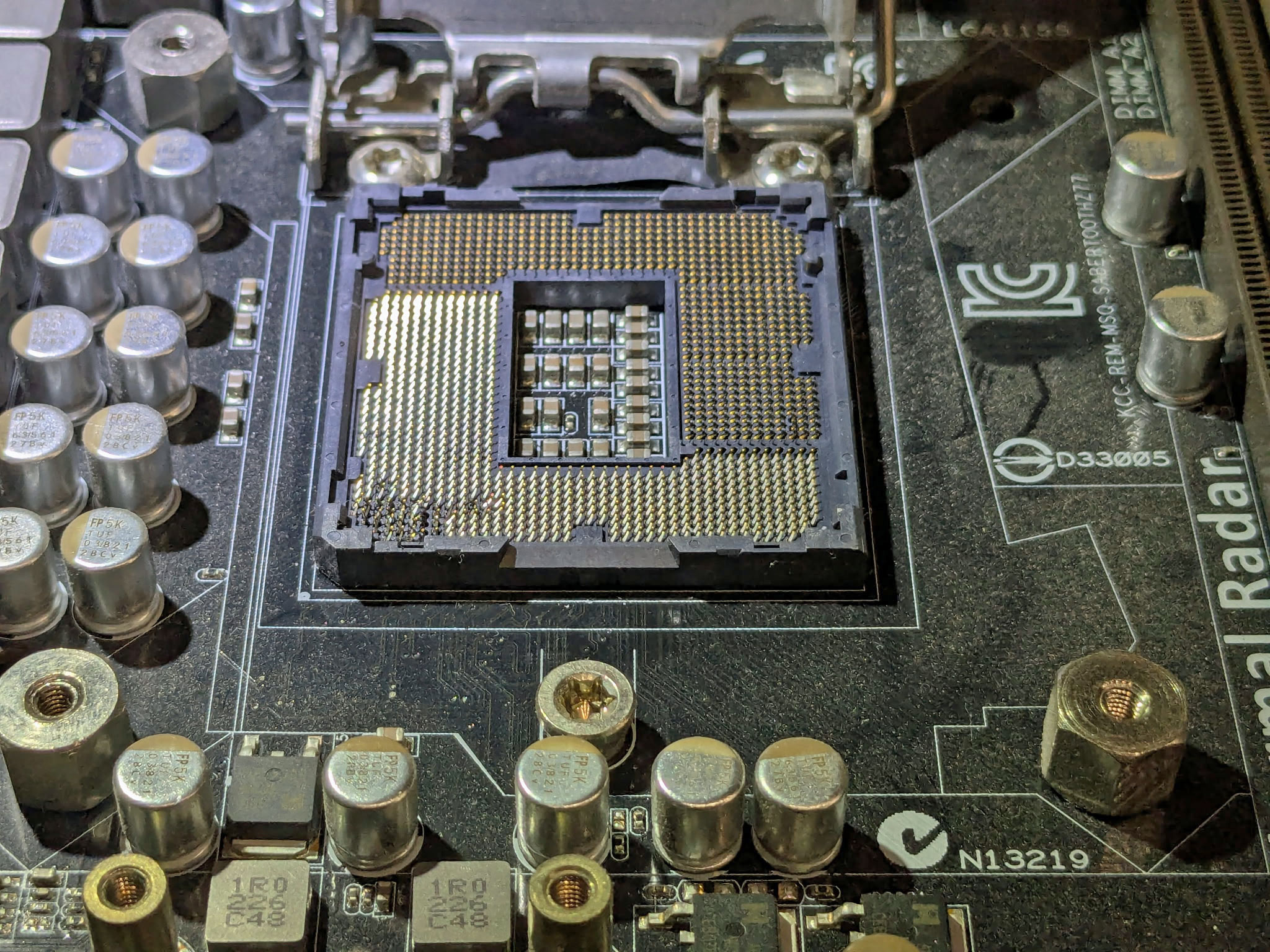






At Quick Connect, we see a lot of DIY PC builds—some fantastic, some… educational. This week, one of our technicians forwarded photos from a customer system that came in after suddenly refusing to boot. After running diagnostics, the verdict was clear:
The CPU had failed. And the cause was almost certainly too much thermal paste.
What Happened?
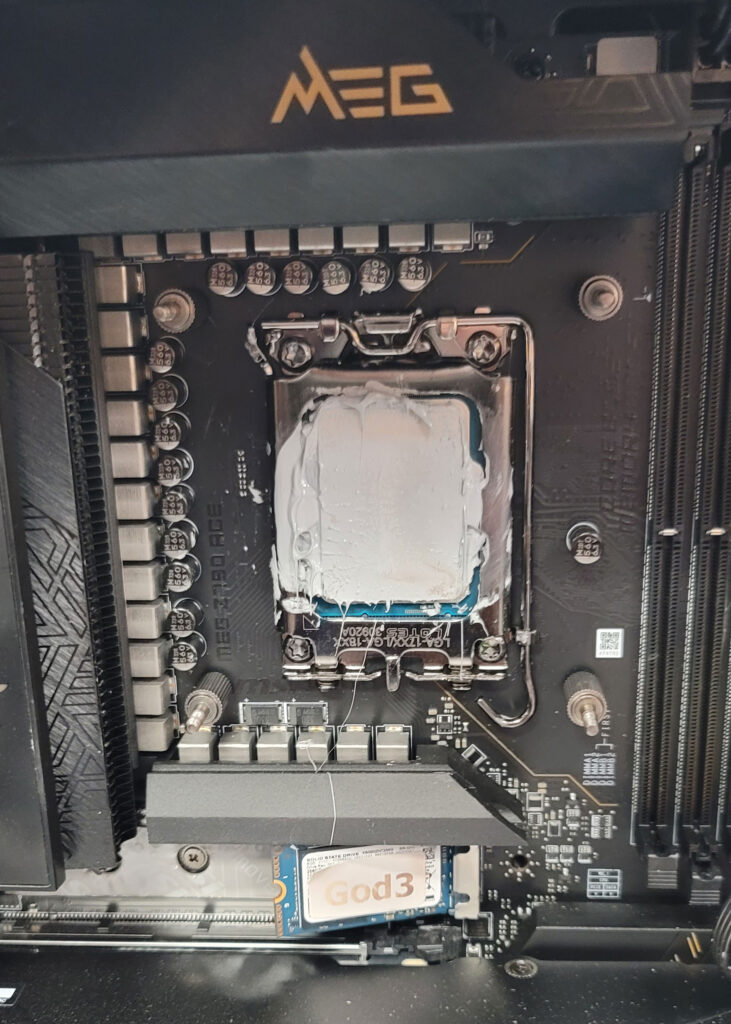
The customer had self‑installed the processor and cooler. Nothing wrong with that—PC building is a great hobby. But during installation, the thermal paste was applied very generously. Think “frosting a cupcake,” not “thin heat‑transfer layer.”
When thermal paste is over‑applied, it spreads beyond the CPU’s heat‑spreader and creates a thick, insulating layer. Instead of helping heat move into the cooler, it traps heat against the CPU.
A CPU that can’t breathe is a CPU that overheats. A CPU that gets too hot because it isn’t properly cooled won’t last.
Why Too Much Thermal Paste Is a Problem
Thermal paste is designed to fill microscopic gaps between the CPU and cooler—not to act as a blanket. When used correctly, it improves heat transfer. When used incorrectly, it does the opposite.
Here’s what excessive paste can cause:
- Overheating — Heat can’t escape efficiently.
- Thermal throttling — The CPU slows itself down to survive.
- Electrical risk — Some pastes can become conductive when squeezed into places they shouldn’t be.
- Component failure — In this case, the CPU didn’t make it.
Our diagnostics confirmed the CPU was no longer functional, and the thermal paste application was the smoking gun.
The Right Way to Apply Thermal Paste
If you’re building or upgrading your own PC, here’s the rule of thumb:
A pea-sized dot in the center of the CPU. That’s it. The pressure from the cooler spreads it evenly. More paste does not mean more cooling. More paste means more problems.
When in Doubt, Let Us Handle It
We love helping customers build powerful, reliable systems—whether you’re gaming, editing, or running mission‑critical workloads. If you’re unsure about installation, thermal paste, cooler mounting, or anything else inside your PC:
Bring it to Quick Connect. We’ll install it correctly, test it thoroughly, and make sure your components live a long, cool life.
DIY is fun. Replacing a fried CPU? Not so much.